 Koinonia
Keep up with the people you love.
Life gets busy. Good friendships slip anyway. Koinonia is a simple app for iPhone, iPad, and Mac that remembers who you meant to call, what you last talked about, and when someone is due for a catch-up.
Free for up to 10 friends. No ads and no tracking.
Why “Koinonia”?
Koinonia (pronounced “coy-noh-NEE-uh”) is a Greek word from the New Testament. It describes the kind of Christian fellowship the early church lived: shared life, encouragement, generosity, and looking out for one another. We named the app Koinonia because that's what we want it to help with. Less scrolling. More showing up for people in ordinary week-to-week life.
How it works
Add the people who matter, group them into circles, set a catch-up rhythm for each person, and keep the details that help the next conversation.
Circles
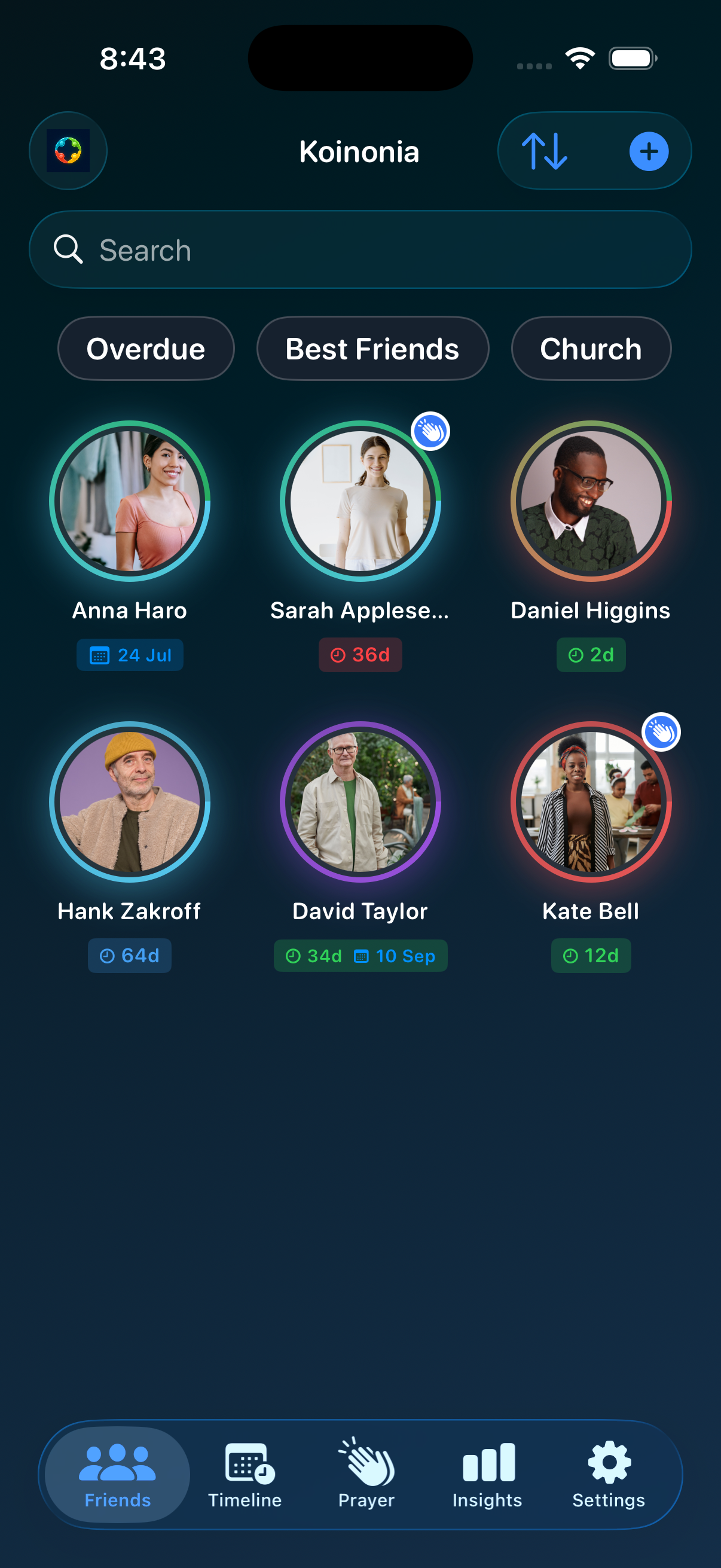
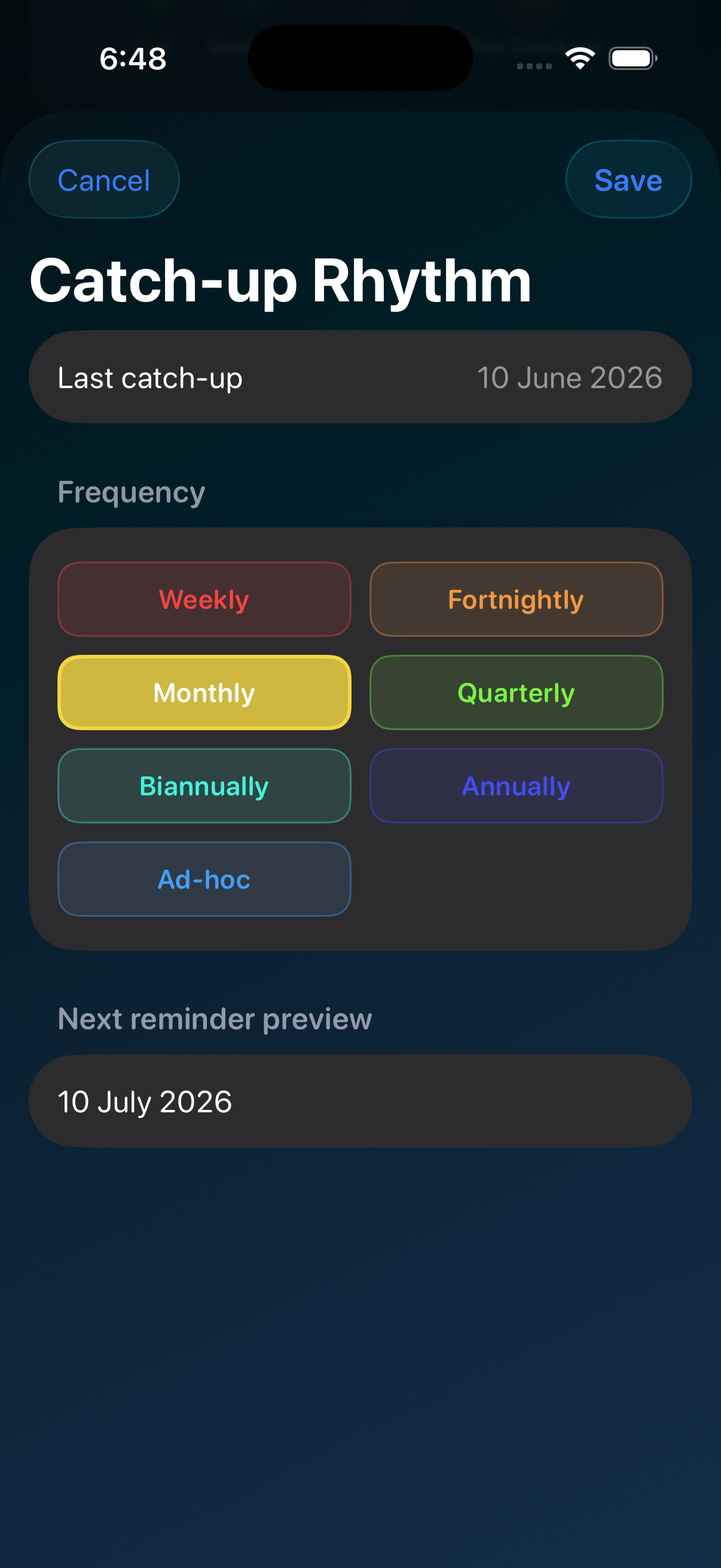
Organise your friends list into groups you choose, Family, Church, Work, Best Friends, or your own names. Assign someone to one circle or several. Tap the app logo on the friends screen to add, edit, or pin circles.
Each circle has a colour. On the friends grid, that colour shows as a ring around the photo. One circle means a single-colour ring; several circles blend up to four colours, so you see context before you open a profile.
- Filter chips to show one circle or several
- Sort by circle, name, or last catch-up
- Circle tags on each friend's profile
Catch-up rhythms
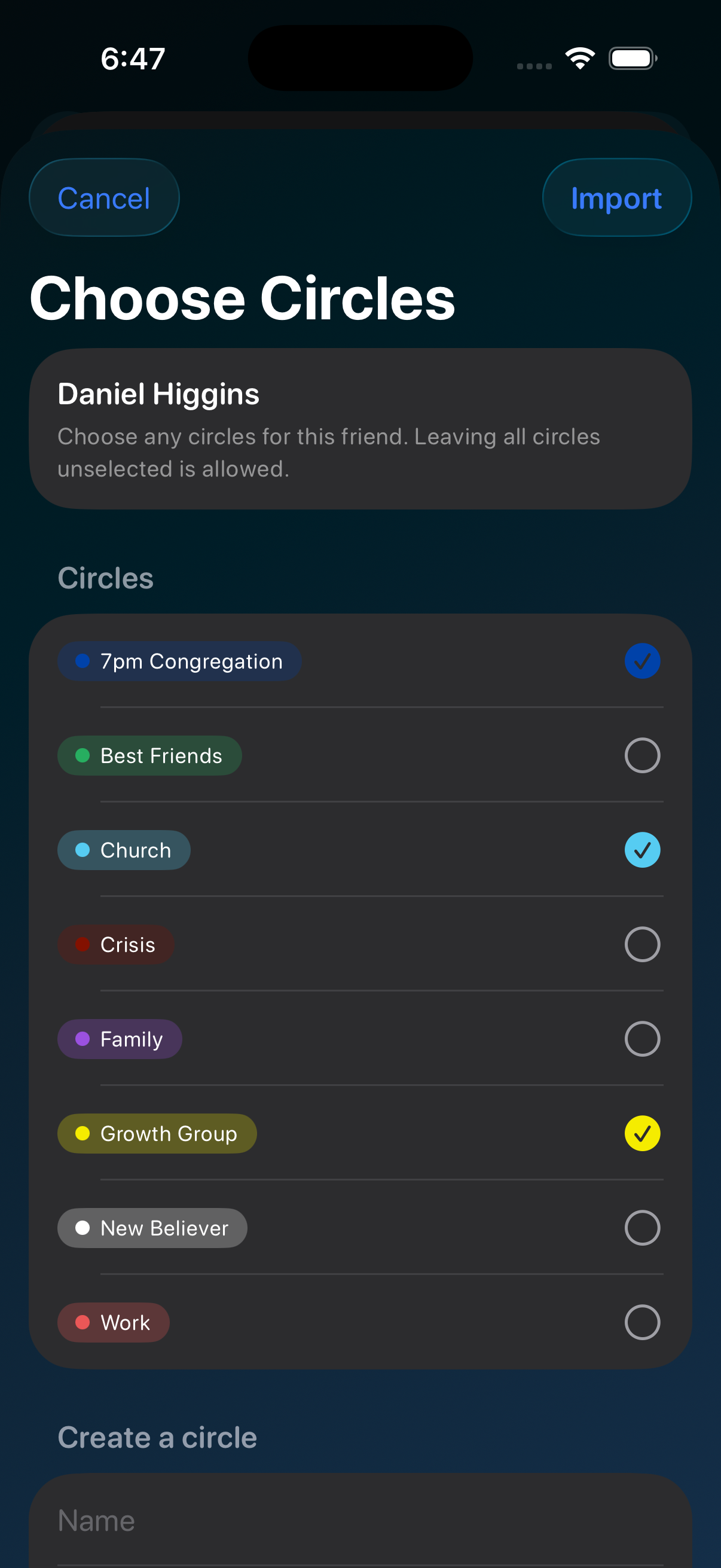
For each person, set how often you'd like to catch up, weekly, fortnightly, monthly, every few months, yearly, or whenever (ad-hoc). Koinonia tracks the last catch-up and shows whether you're overdue, due, scheduled, or on track.
- Status colours show who is overdue or due soon
- Plan a catch-up with a date and how you'll connect
- Optional calendar events when you plan a meet-up
Log catch-ups
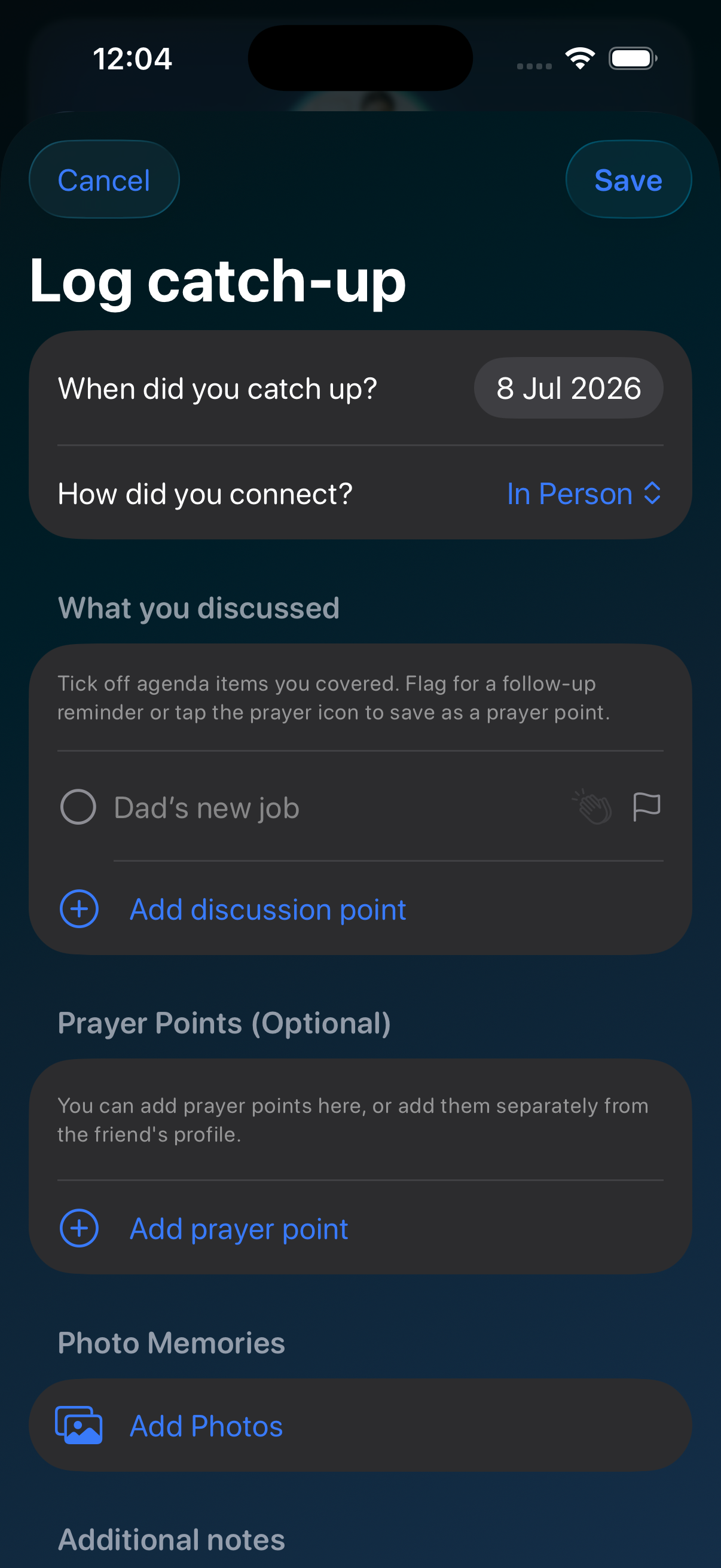
After you connect, log it. Record what you talked about, tick off agenda items, flag follow-ups, add photo memories, and jot notes. Logging updates that friend's rhythm so Timeline and Insights stay accurate.
- Bring open agenda items into the log and tick them off
- Turn a topic into a follow-up reminder or a prayer point
- Attach photos from the catch-up
- History stays on the friend's profile for next time
Timeline
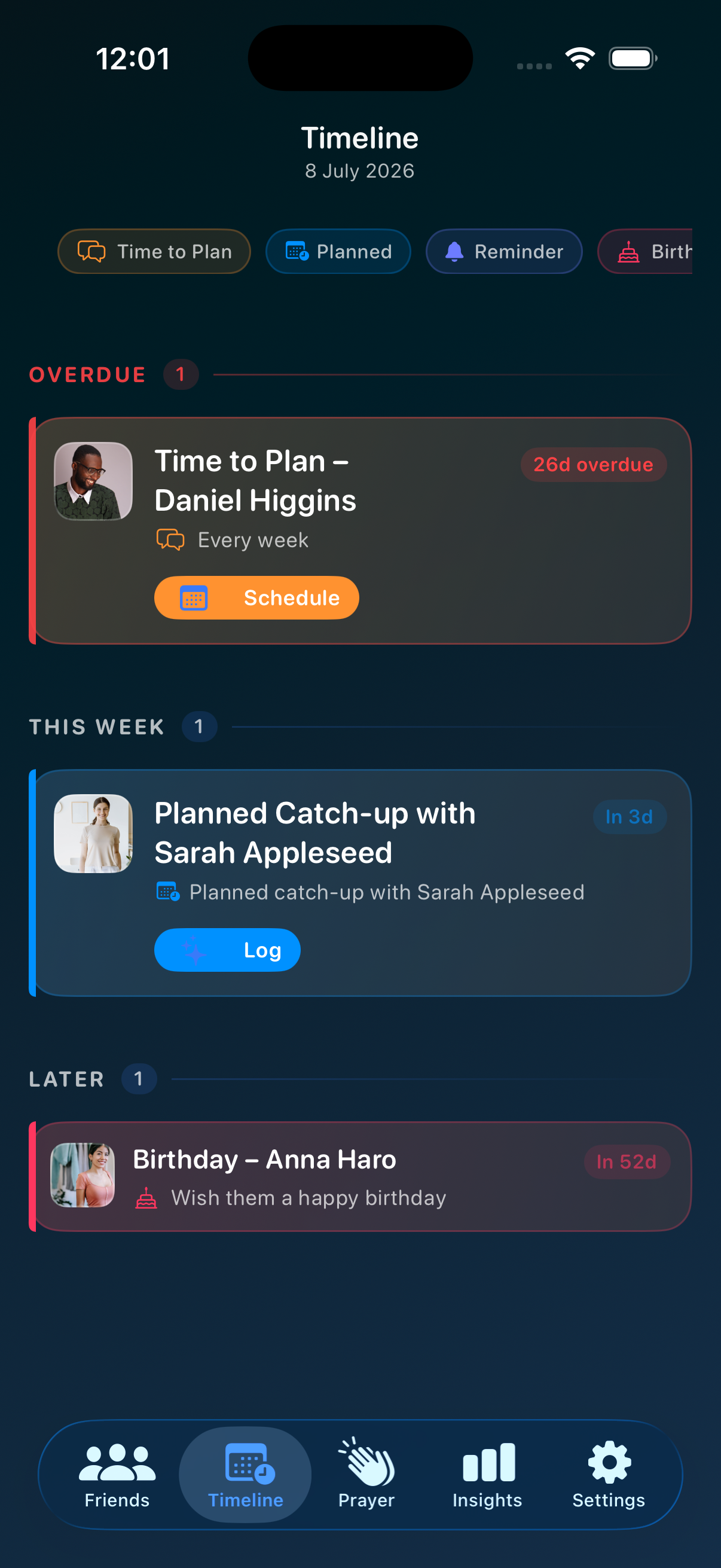
One place for what's coming up: friends due for a catch-up, planned meet-ups, birthdays, and important dates. Sorted into overdue, today, this week, and later, so you can see who to reach out to.
- Overdue, due, scheduled, and on-track labels
- Tap a row to open that friend's profile
- Swipe left (or use the context menu on Mac) to snooze overdue items for a week
- Optional calendar events shown alongside your catch-ups
Agenda, reminders, and the rest
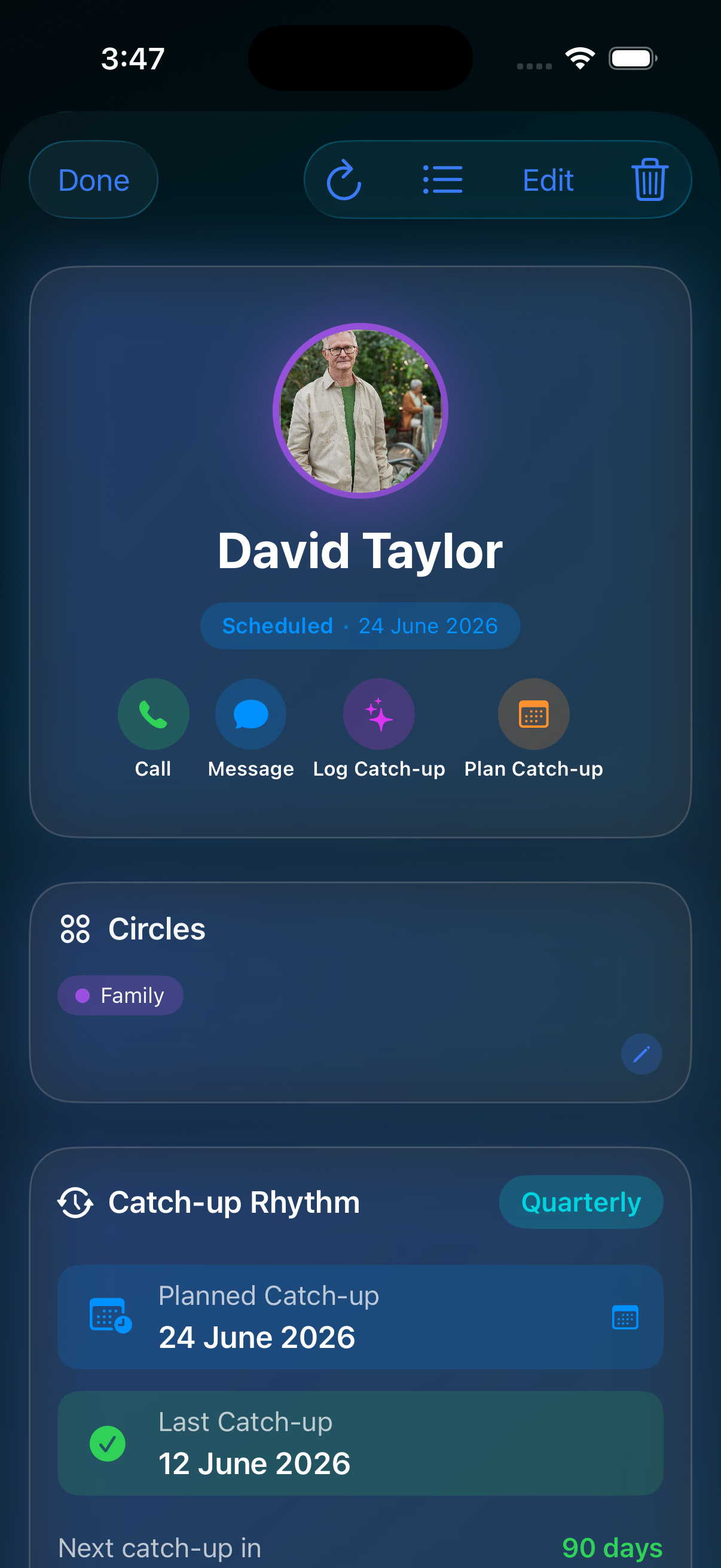
Each friend has a profile for the details you'd otherwise forget. Agenda items for next time, reminders and important dates, prayer points, gift ideas, quotes and memories, and post-it notes. Reorder the sections to match how you think.
- Agenda: topics to raise next time; they carry into catch-up plans and logging
- Reminders & important dates: birthdays, anniversaries, and one-off reminders
- Prayer points: what to pray for, kept with that person
- Gift ideas, quotes, and post-it notes: scratch space that stays on the profile
- Catch-up history and planned meet-ups on the same screen
Prayer guide
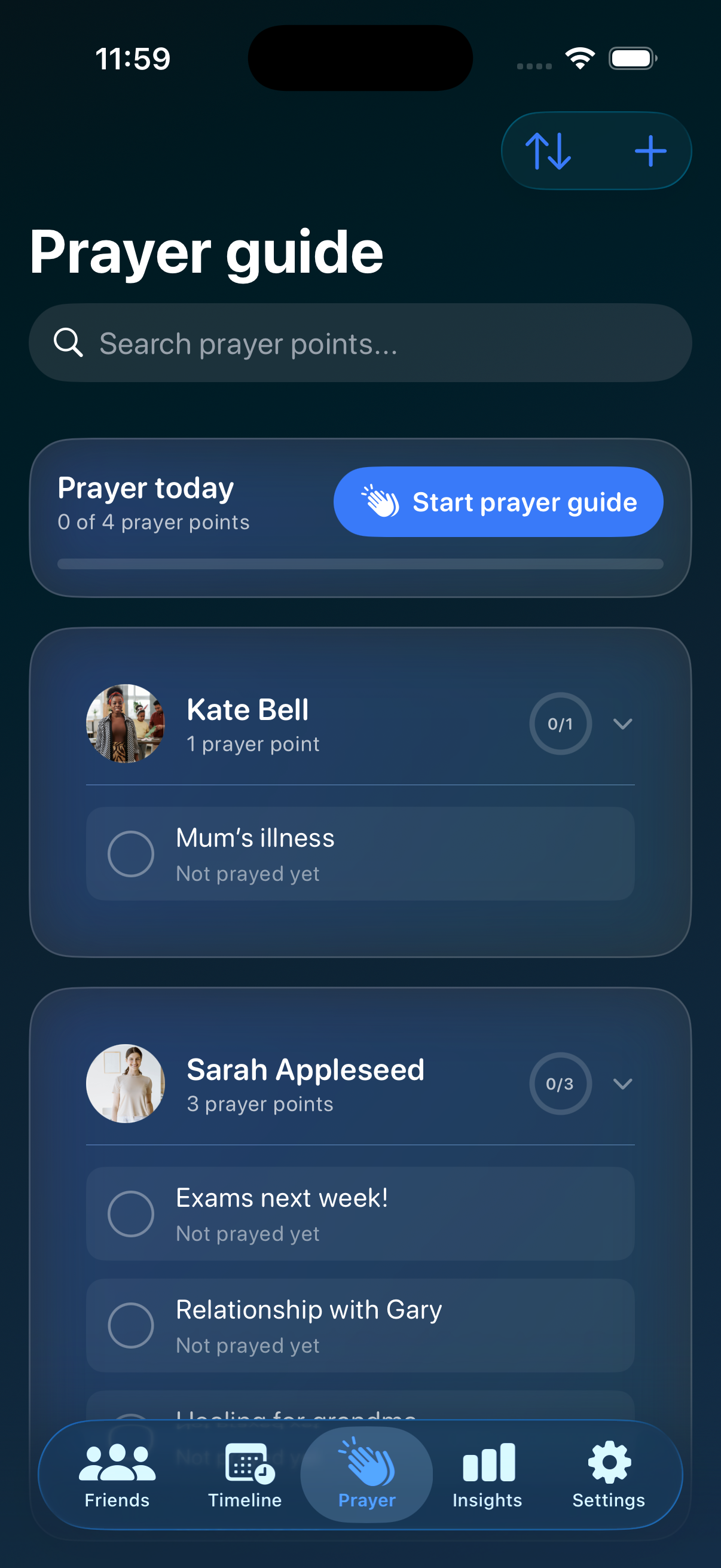
Keep what to pray for next to the people it belongs to. Add a Personal section for yourself or for people you don't track in the app. See today's progress, tick points off as you go, and walk through a guided prayer mode when you're ready.
- Grouped by friend, plus a personal section
- Today's progress and a guided prayer walk-through
- Turn the whole tab off in Settings if you don't need it
Insights
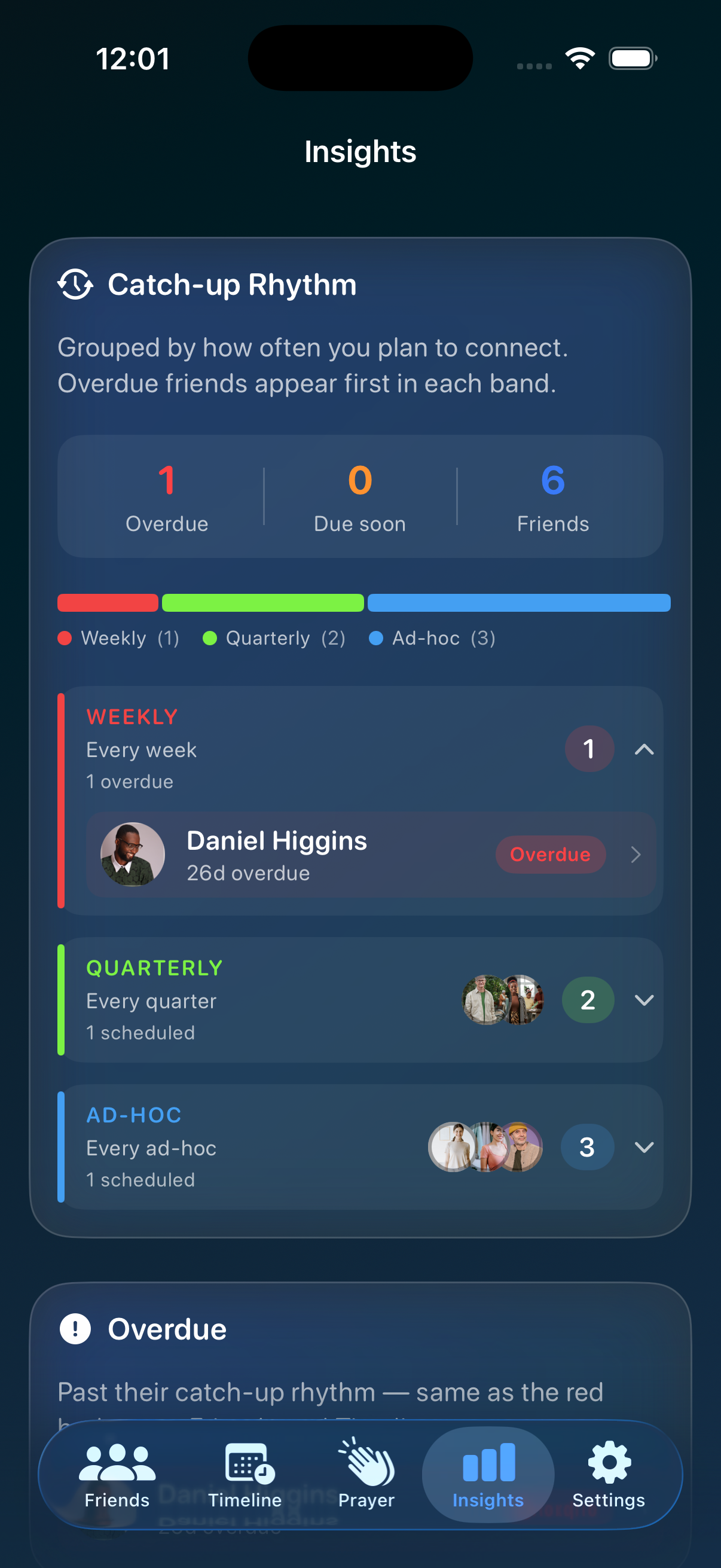
See catch-up trends, who might need a nudge, and everyone grouped by rhythm. No streaks, no scores. A simple view of where your time has been going.
- Catch-up rhythm bands with overdue friends listed first
- Quick overdue and due-soon counts
- Collapsible trends, most-connected, and circle breakdowns
Also in the box
- Quick actions. Long-press a friend to call, message, or log a catch-up.
- Contact import & refresh. Pull names, photos, and birthdays from Apple Contacts. Refresh linked friends when details change. Read-only.
- Post-it notes. Scratch notes for anything that doesn't fit elsewhere.
- App lock. Optional Face ID, Touch ID, or passcode before opening the app.
- Notifications. Reminders before catch-ups are due, when you're overdue, and on birthdays.
- iCloud sync. Optional. Through your own Apple account.
- Calendar. Show your events on the timeline, or add catch-ups to your calendar.
- Koinonia Unlimited. Small yearly subscription. Removes the 10-friend limit.
Private by default
What you put in Koinonia stays on your device, or in your own iCloud account if you turn sync on. We don't run servers for your data. No analytics or ads, and nothing is sold. Contacts, calendar, photos, and notifications are all optional.
A note from the team
We're a small team in Australia. We built Koinonia because we kept losing track of people we care about. It is a simple app that puts the right name in front of you when it matters.
Something broken or confusing? Email koinonia@aretix.com.au. Someone on the team reads every message.
If you're involved in pastoral care as a pastor, minister, elder, or lay carer, see our page for pastors and pastoral care.
What's new in 3.1
- Mac app. Native Mac build with a sidebar for Friends, Timeline, Prayer, Insights, and Settings. Same iCloud data and Unlimited subscription as iPhone and iPad.
- Keyboard shortcuts. Jump sections with Command-1 through Command-4; Command-N for a new friend.
- Prayer guide. Daily progress, checkboxes, collapsible friend cards, searchable add picker, Prayer Mode walk-through, and matching prayer rows on friend profiles.
- Insights. Layout by rhythm, overdue/due strip, colour proportion bar, and collapsible rhythm bands (weekly red through ad-hoc blue).
- Agenda. Talking Points renamed to Agenda; queue topics, tick them off when logging, long-press to edit on profiles.
- Catch-up logging. Flag date-only follow-up reminders from discussion topics; save topics as prayer points with one tap.
- iPad support. Universal iPhone and iPad app with the same tab layout on both.
- App lock. Optional Face ID, Touch ID, or passcode, with faster startup when lock is enabled.
- Timeline snooze. Swipe left (or use the context menu on Mac) on overdue catch-ups or planned meetups to hide them for one week.
- Contacts refresh. Pull updated names, photos, and birthdays from linked Contacts.
Full history in the user guide.